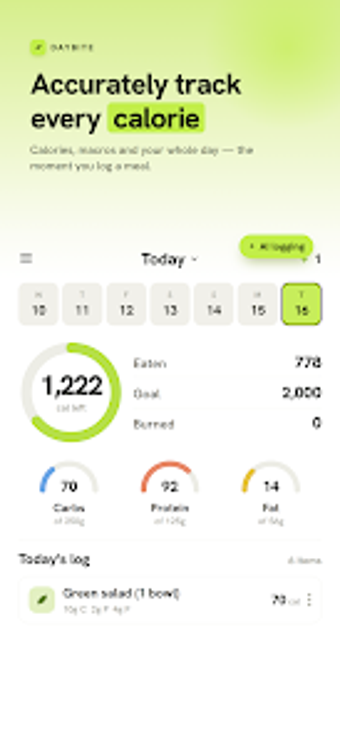
Photo-first calorie logging for quick, daily nutrition tracking on Android
Daybite: AI Calorie Counter, from Mobinux, simplifies daily food logging for Android users by using machine vision to reduce manual entry and provide quick calorie estimates. The app's main flow centers on capturing meals, registering packaged items, and setting personal nutrition targets to support weight or muscle goals. A compact install and focused layout keep the interface light. It targets health-conscious individuals and fitness-minded people who prefer rapid, AI-assisted tracking instead of detailed manual logging.
How Daybite speeds routine meal logging without bulky menus
Daybite uses AI food recognition to convert a meal photo into an instant calorie estimate and nutritional breakdown, and it accepts barcode scans and manual entries as alternatives. That triage of capture methods shortens the common daily friction of typing ingredients, so users who eat out or prepare mixed dishes can log calories without building entries from scratch.
How the app fits onto everyday Android devices and updates
The tool is an Android app with a small install footprint, approximately 29.2 MB, which helps on phones with limited storage. It is described as optimized for performance across a range of devices and receives regular updates to support recent Android releases. Users should expect an Android-only experience and to download from the Play distribution channel for their device.
Usability trade-offs: faster capture but interface and access notes
The photo-first approach makes logging feel quicker in day-to-day use, and built-in meal planning helps maintain consistency. The app's description flags that it may include advertisements and in-app features, which can interrupt a quick log flow for some users. The listing does not mention screen reader support or other accessibility options explicitly, so users with specific access needs should verify those controls before relying on it.
Privacy and everyday reliability require a closer look
Photo analysis is central to the experience, but the app's documentation does not state whether images are processed locally or sent to external servers, so privacy-conscious users should note that ambiguity. The app records weight progress and personalized targets, so it handles personal health data. The product is relatively new and is building a user base, a point to consider for those wanting mature community feedback.
To sum up, Daybite suits quick-focused trackers but raises some data questions
To sum up, Daybite is a practical option for Android users who want fast meal-level calorie awareness during daily routines; it fits people who prefer brief, on-the-go logging over meticulous entry. It is less appropriate for users who require explicit assurances about where image analysis runs or who depend on documented accessibility features. Consider the privacy trade-offs before committing to it as a daily companion.